Property tax in Chennai is a recurring local tax charged on land and buildings within the jurisdiction of the Greater Chennai Corporation (GCC). If you own a house, apartment, commercial building, vacant land or another taxable property, understanding how the tax is assessed can save you from missed payments, interest and unnecessary trips to a Corporation office. For 2026, GCC continues to use a location- and usage-based assessment system, with the calculation linked to the property’s plinth area, Basic Street Rate (BSR), usage and other prescribed factors.
Table of Contents
What Is Property Tax in Chennai?
Property tax is a municipal tax collected by the Greater Chennai Corporation (GCC) from properties within its administrative limits. It applies to land and buildings and helps fund civic services and local infrastructure. Unlike income tax, property tax is based on the characteristics and assessed value of a property. For more information about property ownership in Chennai, you can explore the relevant property ownership guide. GCC follows a reasonable letting value approach, where monthly rental value is determined using the Basic Street Rate, built-up area and property usage.
The property tax amount is not simply a fixed percentage of the property’s sale price. Similar properties can have different assessments depending on their location, applicable street rates and usage. GCC categorizes properties as residential, non-residential, industrial, educational, vacant land and other applicable categories.
Who Has to Pay Property Tax in Chennai?
The responsibility generally falls on the owner or occupier of land and buildings within GCC limits. Newly completed or occupied properties must also be assessed within the prescribed period.
Common taxable property categories include:
- Residential houses and apartments
- Commercial and office premises
- Industrial properties
- Educational institutions
- Telecommunications structures
- Vacant land
Which Properties Are Exempt From Property Tax?
Exemptions depend on applicable municipal laws, rules, property use and government notifications. Owners should not assume that unused or vacant property is automatically exempt, as vacant land within municipal limits may also attract tax under applicable provisions.
Chennai Property Tax Rates and Calculation
The Chennai property tax calculation is based on the property’s assessed annual value rather than a simple market-value percentage. GCC uses the Basic Street Rate, plinth area and property usage to determine the applicable rental value and assessment. If you are considering buying a property, you can also explore flats for sale in Chennai to compare available options. The published framework includes general tax, education tax and library cess, with a combined rate of 12.40% of annual value.
| Component | Rate stated by GCC |
|---|---|
| General Tax | 9.00% |
| Education Tax | 2.50% |
| Library Cess | 0.90% |
| Total | 12.40% |
The Basic Street Rate varies according to location and usage, so there is no universal rupee-per-square-foot property tax rate. GCC’s property-tax calculator allows owners to enter the area, usage and Zone/Ward/Street details to estimate the applicable amount.
GCC also provides a 20% concession over monthly rental value for specified residential and non-residential portions with semi-permanent structure roofs. The final amount should therefore be verified using the property’s official GCC assessment rather than its purchase price or current market value.
How Is Property Tax Calculated in Chennai?
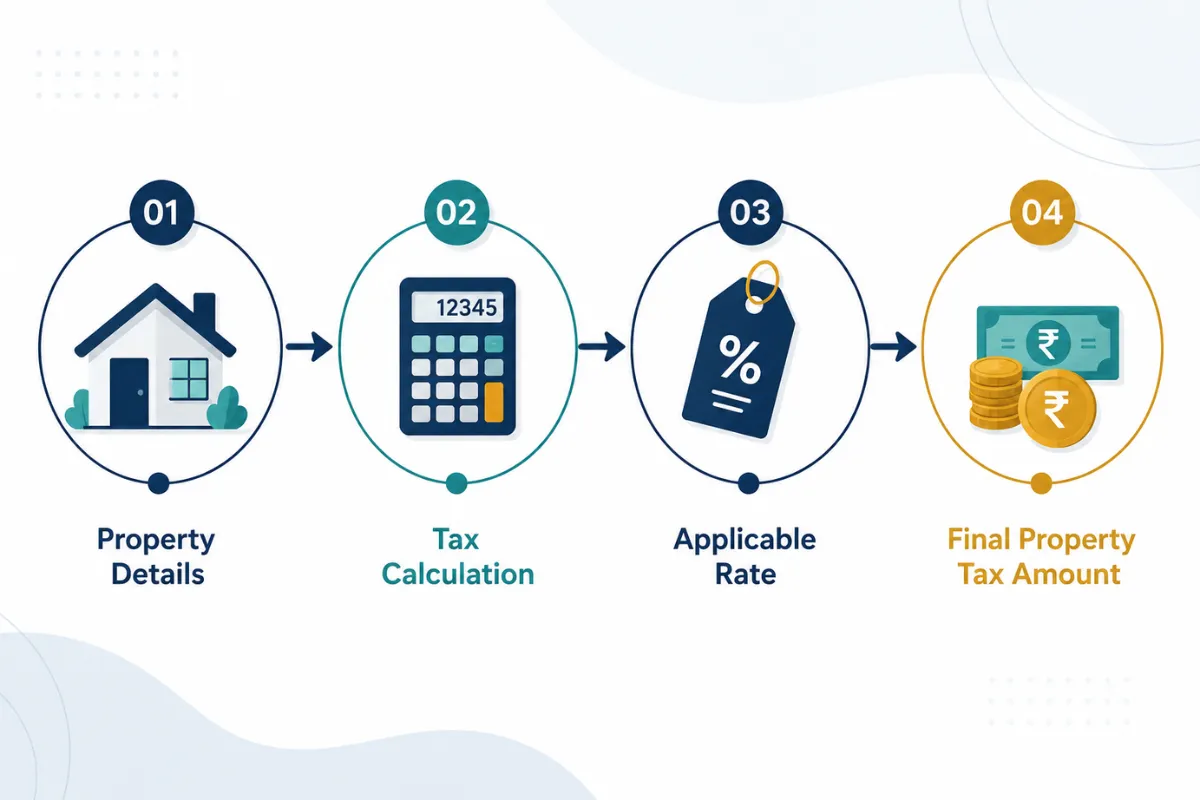
The calculation begins with the property’s plinth area and applicable Basic Street Rate. GCC’s methodology derives monthly rental value, converts it into annual rental value and applies the prescribed adjustments before calculating tax. For example, where monthly rental value is ₹100, the annual rental value is ₹1,200. After stated adjustments, the annual value becomes ₹1,092, and 12.40% results in approximately ₹135.40.
| Calculation Stage | GCC Example |
|---|---|
| Plinth Area | 100 sq. ft. |
| Basic Street Rate | ₹1.00/sq. ft. |
| Monthly Rental Value | ₹100 |
| Annual Rental Value | ₹1,200 |
| Annual Value after stated adjustments | ₹1,092 |
| Property Tax at 12.40% | ₹135.40 |
For an actual property, zone, ward, street, area and usage are important inputs. Therefore, another property’s tax amount should not be copied simply because the properties have similar sizes. The GCC calculator and official assessment record are more reliable references.
Factors That Affect Your Property Tax
Several factors can influence the final assessment:
- Location: Basic Street Rate depends on the applicable street.
- Plinth area: Larger taxable areas generally affect assessment.
- Usage: Residential and non-residential properties are treated separately.
- Land characteristics: Vacant land may attract separate treatment.
- Building structure: Certain structures may qualify for concessions.
- Assessment changes: Alterations or changes in use can affect tax.
Residential vs Non-Residential Property Tax
Residential and non-residential properties can have different assessments because GCC categorizes properties according to usage and applicable Basic Street Rates.
| Factor | Residential | Non-Residential |
|---|---|---|
| Usage Category | Residential | Commercial/other qualifying use |
| Basic Street Rate | Applicable residential rate | Applicable non-residential rate |
| Assessment Basis | Area, location and usage | Area, location and usage |
| Concession for Specified Semi-Permanent Structures | Available under stated conditions | Available under stated conditions |
If a property changes from residential to commercial use, the existing assessment may need to be updated. Owners should provide relevant changes to GCC where required.
Chennai Property Tax Payment Due Dates
Chennai property tax is payable half-yearly. GCC states that the first half-year covers 1 April to 30 September, while the second half-year covers 1 October to 31 March. Property owners should therefore plan payments at the beginning of each half-year to avoid delays and take advantage of applicable incentives.
| Tax Period | Payment Period |
|---|---|
| First Half-Year | 1 April – 30 September |
| Second Half-Year | 1 October – 31 March |
First Half-Year Property Tax Due Date
The first half-year property tax covers 1 April to 30 September. GCC provides a 5% incentive, subject to a maximum of ₹5,000 per assessment, when the tax is paid within the first 30 days, from 1 April through 30 April. The incentive applies to the general tax component and is available when the full property tax is paid.
Second Half-Year Property Tax Due Date
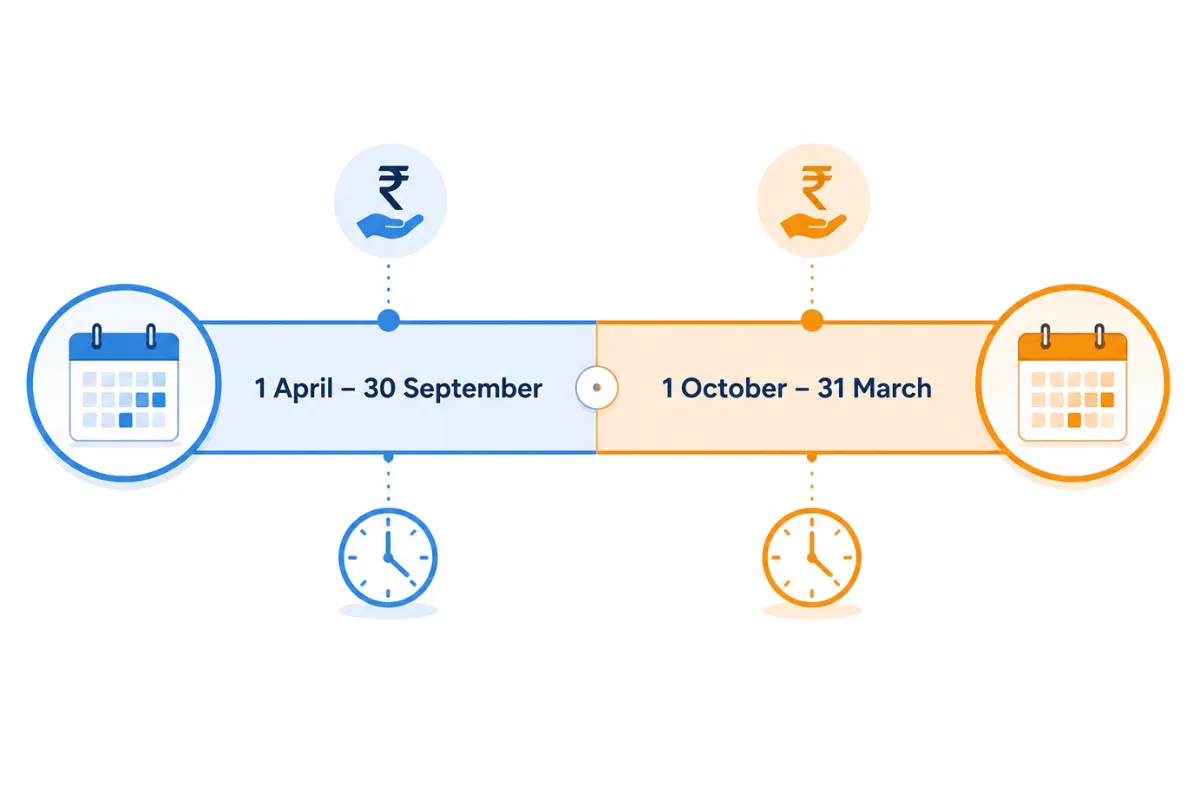
The second half-year runs from 1 October to 31 March. The same 5% incentive, capped at ₹5,000 per assessment, is available for payments made from 1 October through 30 October, subject to GCC rules. For payments made after the half-year ends, GCC states that 1% simple interest per month is levied on the unpaid amount.
Property Tax Online Payment in Chennai
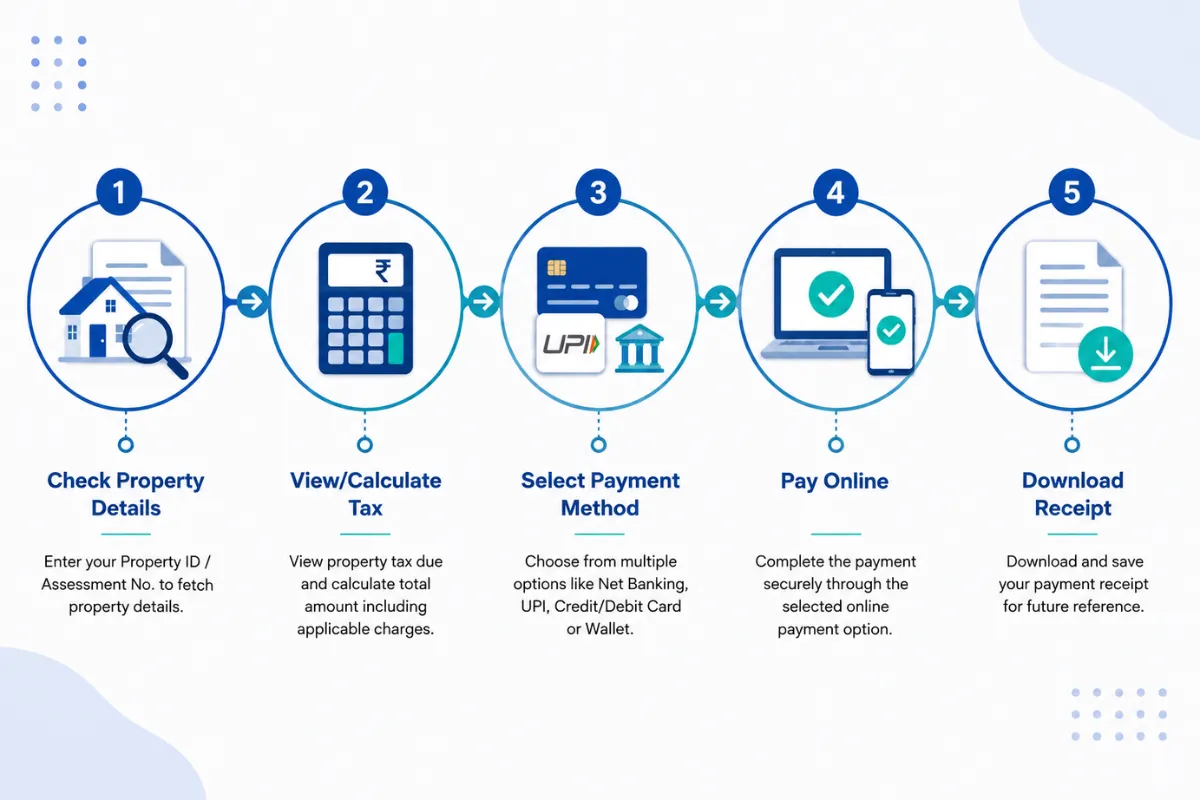
Paying property tax online in Chennai is a convenient option when you have your bill and assessment details ready. GCC provides an online payment facility where property owners can pay through credit card, debit card and net banking without transaction charges through its stated online system. Other options, including selected banks, e-Seva centres, tax collectors and specified mobile applications, are also available.
Use the official GCC payment facility and carefully verify your bill details before completing the transaction. Depending on the service, GCC may require information such as the Zone Number, Division Code, Bill Number and Sub Number.
Step-by-Step Chennai Property Tax Online Payment
Open the official GCC property-tax payment service. Use Greater Chennai Corporation’s online services instead of unofficial websites or intermediaries.
Keep your bill information ready. Your bill or assessment record should contain the details needed to identify the property.
Enter the required assessment details. These may include the Zone Number, Division Code, Bill Number and Sub Number.
Check the displayed property information. Verify the assessee name, property details and amount due before proceeding.
Review any applicable rebate or outstanding amount. Confirm that any eligible early-payment incentive is reflected correctly.
Select your payment method. GCC lists net banking and credit/debit card payments for online transactions.
Complete the transaction. Follow the payment gateway instructions and wait for confirmation.
Save the receipt. Download or retain the digital receipt and note the transaction or receipt number.
Check payment status later if needed. GCC provides a property-tax status facility to verify payment information.
Details Needed to Pay Property Tax Online
Keep these details available before starting:
- Zone Number
- Division Code
- Bill Number
- Sub Number
- Registered assessee/property details where applicable
- Payment method
- Mobile number or email if verification is requested
Online Payment Methods Available
GCC states that online payment can be made through net banking, credit card and debit card, without transaction charges through its stated online facility. Other channels include e-Seva counters, selected banks, tax collectors and specified mobile applications.
How to Check Chennai Property Tax Status
Checking your Chennai property tax status helps confirm whether a payment has been credited, identify any outstanding balance or review the assessment linked to your property. GCC provides an online property-tax status service where users can enter their Zone Number, Division Code, Bill Number and Sub Number.
The process is straightforward:
Open the GCC property-tax status page.
Select or enter the required Zone Number.
Enter the Division Code.
Enter your Bill Number and Sub Number.
Submit the details and review the displayed status.
How to Find Your Property Tax Assessment Number
Your property-tax identification details are generally available on the Corporation’s bill or assessment records. Depending on the GCC service, a property may be identified using the Zone Number, Division Code, Bill Number and Sub Number. GCC’s online receipt service also uses these details to locate payment records.
If you cannot find the required information, check your previous property-tax bills and receipts. For discrepancies or clarification, use GCC’s official Revenue Department support and complaint channels to obtain assistance with your assessment or payment details.
How to Download Chennai Property Tax Receipt
A Chennai property tax receipt is important proof that a payment was made. It helps maintain property records, complete documentation, support ownership changes, sell a property or review previous payments. GCC provides an online property-tax receipt facility where users can retrieve payment records using bill-related information.
To retrieve it:
Open the GCC online property-tax receipt service.
Choose the applicable search option if presented.
Enter the Zone Number and Division Code.
Enter the Bill Number and Sub Number.
Submit the information.
Review the available payment details.
Open or download the relevant receipt.
Save a digital copy for your records.
GCC’s online systems can also display historical payment information for individual assessment records, including receipt numbers, receipt dates and payment amounts. Keeping these receipts can make it easier to verify previous payments and resolve future assessment-related queries.
What to Do If Your Online Payment Is Not Updated
If you paid successfully but the property-tax record does not immediately reflect the payment:
- Check your bank or card statement for the transaction.
- Keep the transaction reference and payment confirmation.
- Allow some time for the system to update before making another payment.
- Recheck the property-tax status using the official GCC service.
- Contact GCC if the payment remains unresolved.
- Do not make a second payment immediately simply because the status page has not refreshed.
GCC provides complaint and help contact information on its property-tax pages, including 1913 and Revenue Department telephone numbers for clarification.
Property Tax Rebate, Late Payment Interest and Penalties
The most useful property-tax saving for eligible Chennai taxpayers is the early-payment incentive. GCC states that a 5% incentive, capped at ₹5,000 per assessment, is available when property tax is paid within the first 30 days of each half-year. For the first half, this means April, while for the second half, it means October. The incentive applies to the general tax component, and part-payment does not qualify.
Property Tax Rebate in Chennai
The GCC incentive is structured as follows:
- 5% incentive on the general tax component.
- Maximum incentive of ₹5,000 per assessment.
- First-half payment window: 1 April–30 April.
- Second-half payment window: 1 October–30 October.
- Full payment is required to qualify; part-payment does not qualify.
Paying during these early windows can therefore reduce the payable amount compared with waiting until the end of the half-year.
Late Payment Interest or Penalty
GCC states that 1% simple interest per month is levied when payment is made after the end of the applicable half-year. Delayed payments can therefore increase the outstanding amount over time.
Property owners should also ensure that properties are properly assessed. GCC states that tax may be levied retrospectively for up to 13 back half-years on identified unassessed or underassessed properties, with penalties potentially applying for failure to submit the required return.
How to Correct Wrong Property Tax Details
Incorrect property-tax information should not be ignored. A mismatch in the owner name, property area, usage, building details or other assessment information can cause problems during a sale, ownership transfer or other property-related transaction. GCC’s Revenue Department provides procedures for assessment and reassessment, while its online services direct property owners to the Corporation for discrepancies.
How to Request Property Tax Reassessment
A practical approach is:
Collect your current property-tax bill and supporting property documents.
Identify the exact information that appears incorrect.
Submit the required assessment or reassessment request through the appropriate GCC channel.
Provide supporting documents along with the relevant property identification details.
Follow up using the acknowledgement or reference information supplied by the Corporation.
For a newly completed or occupied property, GCC states that the owner or occupier must furnish the required return within 30 days from completion or occupation, whichever is earlier, for assessment or reassessment purposes. Keeping copies of the submitted documents and acknowledgement can also help when following up on the correction request.
New Property Tax Assessment and Name Transfer
Buying or constructing a property often creates two administrative tasks: obtaining the correct tax assessment and ensuring the assessment is linked to the correct owner. Keeping these records updated helps avoid issues during property sales, ownership changes and other transactions.
How to Apply for New Property Tax Assessment
For a new property, the owner or occupier should act promptly rather than waiting for a tax demand. GCC states that property tax should be levied within 30 days from completion or occupation, whichever occurs earlier.
A sensible process is:
Collect the relevant property and ownership documents.
Prepare details of the land, building, plinth area and usage.
Submit the assessment request through the prescribed GCC process.
Provide additional documents requested by the Corporation.
Obtain the assessment or property identification details.
Check the resulting assessment for accuracy.
Pay the applicable half-yearly property tax after assessment.
Property Tax Name Transfer Process in Chennai
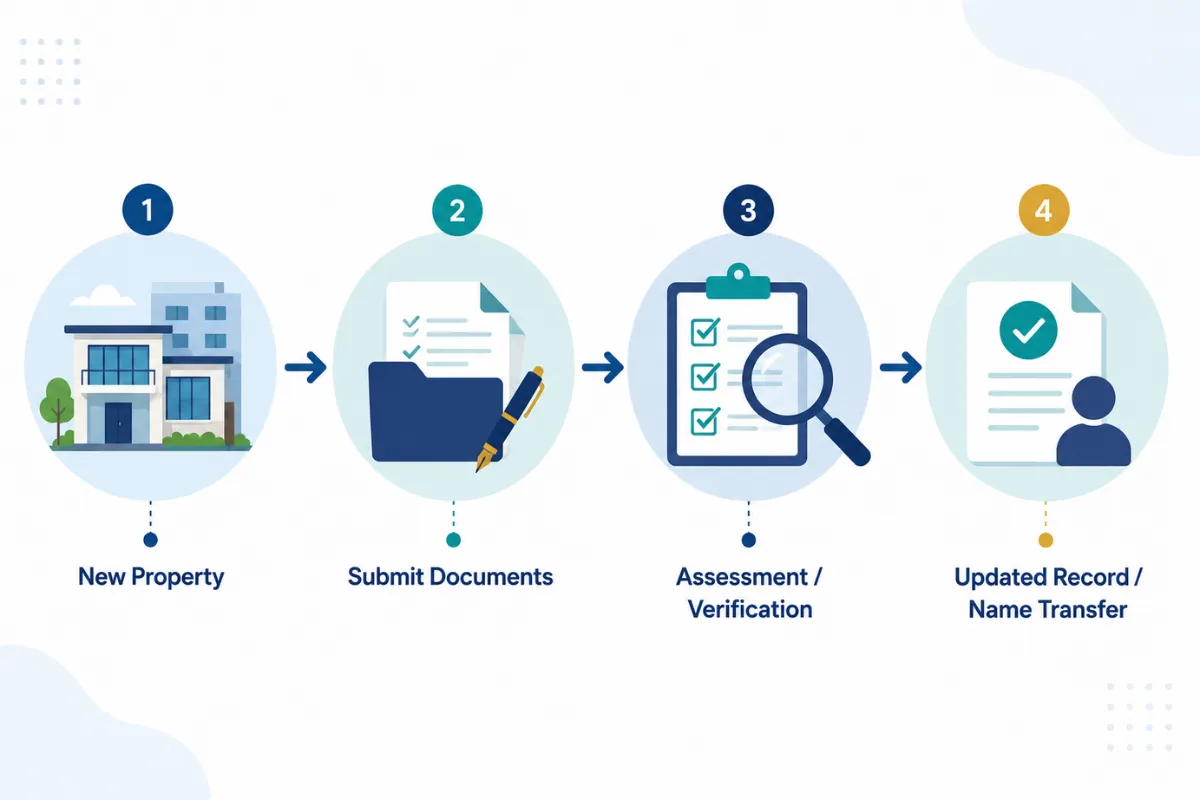
When ownership changes, updating the tax record to reflect the new owner is an important administrative step. Documentation may vary depending on the transaction, so applicants should follow the current GCC procedure.
A practical sequence is:
Keep the registered sale deed or ownership document ready.
Keep the existing property-tax bill or assessment details.
Submit the name-transfer request through the applicable GCC process.
Attach supporting ownership documents.
Provide any additional information requested by GCC.
Follow up until the assessment record reflects the updated ownership.
Do not confuse property-tax name transfer with property registration. They are separate administrative processes.
Offline Property Tax Payment in Chennai
Online payment is convenient, but Chennai property owners can also use offline channels. GCC states that property tax can be paid through tax collectors, selected banks under its walk-in payment system and e-Seva centres. The Corporation’s published procedures also describe payment through cheque or demand draft in favour of the Revenue Officer, Corporation of Chennai, subject to the applicable payment channel and requirements. Property owners and tenants can also explore rental properties in Chennai when looking for residential options in the city.
Documents and Details Required for Offline Payment
Take the relevant:
- Property-tax bill
- Zone/Division/Bill/Sub Number details
- Previous receipt, if available
- Ownership/assessment information if clarification is required
- Payment instrument accepted by the chosen channel
Always request and retain the official payment receipt after completing an offline transaction.
FAQs About Property Tax in Chennai
How is property tax calculated in Chennai?
Chennai property tax is calculated using the property’s assessed annual value, considering factors such as the Basic Street Rate, plinth area, property usage and applicable adjustments. GCC’s stated combined tax rate is 12.40%, including general tax, education tax and library cess. The exact amount can vary based on the property’s location and assessment details.
When is property tax due in Chennai?
Chennai property tax is payable half-yearly. The first half-year runs from 1 April to 30 September, while the second runs from 1 October to 31 March. Paying within the first 30 days of each half-year may qualify eligible taxpayers for the GCC early-payment incentive.
How can I pay property tax online in Chennai?
You can pay Chennai property tax online through the official Greater Chennai Corporation payment service. Keep your Zone Number, Division Code, Bill Number and Sub Number ready. After entering the required details, verify the property information and amount due before completing payment through an available online payment method. Save the receipt after successful payment.
Is there a rebate on property tax in Chennai?
Yes. GCC provides an early-payment incentive of 5%, subject to a maximum of ₹5,000 per assessment, for eligible payments made within the first 30 days of each half-year. The incentive applies to the general tax component and requires full payment. The applicable windows are generally 1–30 April and 1–30 October.
What happens if Chennai property tax is paid late?
GCC states that 1% simple interest per month is levied on unpaid property tax after the applicable half-year ends. Property owners should therefore avoid unnecessary delays and keep their assessments updated. If ownership, property area, usage or building details change, the relevant GCC records should also be corrected or updated where required.
Conclusion
Understanding property tax in Chennai becomes easier when you know how GCC calculates the assessment, when each half-year payment is due and where to make the payment. Property owners should verify their assessment details, pay within the applicable period and use the early-payment incentive when eligible. Online payment and receipt services also make it easier to manage records without visiting a Corporation office. If property details or ownership information are incorrect, request the necessary correction or name transfer promptly. Always check the latest GCC assessment and payment information before making a payment.